
ERP CRM integration connects your customer-facing system to your operational backbone so quotes, orders, inventory and invoices stay consistent across both. The recommended first step is not a full platform rollout. It is a proof of concept on one high-impact data flow, run over roughly three months, using an integration platform rather than a fragile custom build. Done well, the outcome is a single source of truth and a faster quote-to-cash cycle.
TL;DR:
- Prioritize integrating high-impact data flows such as customer records, quotes into orders, and inventory information, rather than attempting to sync everything at once.
- Focus on measuring key KPIs like quote-to-cash cycle time, order accuracy, duplicate records, and sync latency to monitor integration success and health effectively.
- Use phased approaches, starting with a proof of concept on a single flow like quote-to-order, setting clear success criteria, and involving cross-team stakeholders early.
- Choose an appropriate architecture—such as iPaaS, middleware, or custom layers—based on your ERP’s API maturity, customization level, and real-time needs, avoiding unnecessary complexity.
- Maintain ongoing governance through security controls and continuous monitoring, as well as ongoing maintenance, to ensure data integrity and operational reliability over time.
Table of Contents
- What is ERP CRM integration, exactly?
- What business benefits justify the integration budget?
- Which data flows should you synchronise first?
- Which integration architecture fits your systems?
- What mistakes derail ERP CRM integration projects?
- How do you scope a proof of concept?
- How do you keep the integration secure and healthy?
- What do real integration outcomes look like by industry?
- How should you evaluate integration tools or vendors?
- A phased, ROI-first path wins in the mid-market
- How Oakandnine supports your integration roadmap
- Sources
What is ERP CRM integration, exactly?
CRM systems own the front office. They track leads, opportunities, quotes and the relationship history a sales or account team needs to close deals and keep clients happy. ERP systems own the back office: inventory, production, financials, purchasing and fulfilment. Left unconnected, these two systems tell different stories about the same customer, and someone ends up reconciling spreadsheets to find out which one is right.
Integrating ERP with CRM means building a reliable, ongoing exchange of data between the two, so that a change in one system is reflected in the other without a person retyping it. That sounds simple. In practice it means deciding, field by field, which system is the master record for each data object, because two systems editing the same fact independently is how duplicate records and pricing disputes start.
The most commonly synchronised objects across ERP and CRM systems are:
- Customer and account records — names, addresses, contact details and account hierarchies.
- Quotes and sales orders — the handoff from a CRM-generated quote to an ERP-processed order.
- Inventory and product data — stock levels, pricing tiers and product availability.
- Invoices and payment history — so sales teams see what a customer actually owes, not just what was quoted.
- Returns, credits and service tickets — so support and finance are working from the same facts.
NetSuite's guidance on CRM and ERP integration frames this correctly: integration synchronises customer records, quotes, orders, inventory, pricing and invoices. Most practical guidance recommends prioritising a handful of high-value flows rather than attempting to sync everything simultaneously. That distinction between "everything" and "the right five things" is where most projects go wrong before they even start.
What business benefits justify the integration budget?
The case for ERP CRM integration is not abstract. It shows up in three places: fewer manual touches, faster cycle times, and a customer experience that does not depend on which department the client happens to be talking to.
Manual re-entry between systems is where errors compound. A sales rep quotes a price the ERP doesn't recognise, or finance chases a payment that CRM shows as "paid" because nobody updated the record. Every one of those small mismatches costs staff time and, eventually, customer trust. Integration removes the re-entry step entirely for the flows you connect, which is also why picking the right flows matters more than picking many of them.
Practitioner guidance around integration projects converges on a consistent set of KPIs to track once a flow goes live:
- Quote-to-cash cycle time — how long from a CRM quote to a paid ERP invoice.
- Order accuracy rate — the percentage of orders that transfer from CRM to ERP without a manual correction.
- Duplicate record count — a direct measure of whether your matching keys are working.
- Sync latency — how long it takes a change in one system to appear in the other.
Sync latency and order accuracy aren't vanity metrics. Integration guidance built specifically around architecture, data flows and common mistakes recommends measuring exactly these four indicators, because they are the ones that expose a broken integration before it becomes a customer complaint rather than after.
Beyond the numbers, integration changes how teams actually work. A support agent who can see a customer's ERP order history without switching systems resolves the call faster. A finance controller who can see the CRM opportunity pipeline gets a more honest revenue forecast than one built on sales optimism alone. Cross-team visibility is the softer benefit, but it's often the one that makes the ROI case stick with leadership, because it's visible in every meeting, not just in a dashboard nobody opens.
IBM's analysis of AI-powered CRM-ERP integration points to a further shift: modern integration platforms increasingly use AI tools for small businesses to enforce business rules consistently across systems and even automate parts of the reconciliation workflow, rather than leaving that logic to a human checking two screens side by side.(anchor) That's a meaningful change from how these projects were scoped even a few years ago, and it means the ROI conversation should include reduced ongoing maintenance labour, not just the initial build cost.
If you want a broader view of how to translate these gains into a business case leadership will actually approve, workflow automation ROI planning follows a similar logic: measure the manual hours removed, not just the systems connected.
Which data flows should you synchronise first?
Not every connection between ERP and CRM deserves equal priority. NetSuite's own guidance recommends prioritising three to five high-value flows before attempting broader synchronisation, and the insight behind that number holds up: trying to connect everything at once multiplies the points of failure before you've proven the concept works at all.
Here is the order that tends to deliver value fastest, based on where friction actually shows up in mid-market organisations:
- Contacts and accounts into ERP customer records. This is the foundation. Every other flow depends on both systems agreeing on who the customer is.
- CRM quotes into ERP sales orders. The classic quote-to-order handoff. This is usually where the most manual re-keying happens, and where pricing mismatches first surface.
- ERP inventory into CRM availability and pricing. Sales reps quoting stock that doesn't exist, or a price that changed last week, is a recurring and entirely avoidable failure.
- ERP invoices into CRM payment history. Gives sales and account management visibility into what's actually been paid, not just what was promised.
- Negotiated pricing and contract terms. Custom discounts and account-specific terms need to live in one place and be respected in both systems, or someone eventually gets billed the wrong amount.
- Returns, support cases and financial ageing alerts. Traceability here closes the loop: a support ticket tied to an overdue invoice tells a very different story than either fact alone.
Pro Tip: Run your first POC on flow two, quote-to-order. It's usually the flow with the most measurable manual effort behind it, which means it's the easiest one to show a clear before-and-after number to a skeptical finance director.
Each of these flows also tests a different capability of your integration approach: flow one tests deduplication logic, flow three tests real-time versus batch sync tolerance, and flow six tests how well your error handling copes with edge cases like a return without a matching invoice. Sequencing them this way means you're not just building integration, you're building confidence in the platform choice you made, one proven flow at a time. For finance-heavy flows specifically, accounting workflow automation practices are worth reviewing before you scope the invoice-sync flow, since the failure modes there tend to be different from customer-record sync.
Which integration architecture fits your systems?
Six architectural patterns cover almost every ERP CRM integration project, and SolGuruz's architecture and best practices guide is a useful reference for how they differ in practice. The right choice depends less on preference and more on how customised your ERP is and how mature its API actually is.
- Native connectors. Built by the vendor when your CRM and ERP come from the same ecosystem. Fast to deploy, but they increase vendor lock-in and give you little control if your process doesn't match the vendor's assumptions.
- iPaaS (integration platform as a service). Cloud-hosted platforms with pre-built connectors for common systems. The best starting point for most mid-market organisations because they reduce long-term maintenance versus custom code, as MuleSoft's integration research points out.
- Middleware. An on-premises or hybrid layer that mediates between systems. Common where one system is legacy or heavily customised and can't talk cleanly to a cloud iPaaS.
- Point-to-point APIs. Direct connections between two systems. Cheap to build for a single flow, but each additional connection multiplies the maintenance burden, which is exactly the fragility MuleSoft's research flags as the long-term cost of this approach.
- Event-driven architecture. Systems publish events (a new order, a status change) that other systems subscribe to. Better suited to real-time needs and to organisations planning to connect more than two systems eventually.
- Custom integration layers. Built in-house or with a systems integrator. More expensive upfront, but often necessary when the ERP is a customised legacy system with a limited or undocumented API.
That last point matters more for mid-market companies than the marketing usually admits. Insight from SolGuruz's own analysis is blunt about it: companies running a heavily customised legacy ERP frequently need a custom layer or middleware despite the higher cost, while organisations on standard cloud stacks can lean on iPaaS connectors with far less friction.
Real-time versus batch sync is the other decision that shapes everything downstream. Inventory and pricing flows generally need near real-time sync, because a stale stock figure directly costs a sale. Financial reconciliation flows can often tolerate a nightly batch without anyone noticing, and batching them reduces load on both systems. Choosing real-time everywhere "to be safe" is usually just extra cost with no matching benefit. If you're still comparing platform categories at this stage, a broader look at workflow automation tools can help frame the iPaaS-versus-custom decision before you commit budget.
What mistakes derail ERP CRM integration projects?
Most integration failures are not technical. They're governance failures wearing a technical disguise. The checklist approach recommended by the ERP Implementation guide on architecture and common mistakes exists precisely because the same handful of avoidable errors keep recurring.
- No defined master record. When both systems can edit a customer's address, you get two versions of the truth and no rule for which one wins.
- Skipping deduplication rules before go-live. Matching keys (email, tax ID, account number) need to be agreed before the first sync, not patched in after duplicates have already multiplied.
- No load testing at peak volume. A sync that works fine with ten test records can collapse during a Black Friday order spike if nobody stress-tested it.
- Underestimating ongoing maintenance. Integration is not a one-off project; API versions change, fields get added, and someone needs to own that upkeep.
- Treating it as an IT-only project. Sales, finance and operations all need a stake in which fields matter and who owns them, or the integration solves a technical problem while leaving the business problem untouched.
Defining a master record per data object, before writing a line of integration code, is the single highest-leverage governance decision on this list. It forces the sales, finance and operations stakeholders to agree, in advance, who wins when two systems disagree.
| Mistake | Consequence if ignored | Fix |
|---|---|---|
| No master record defined | Conflicting customer data, billing disputes | Assign one system of record per data object before build |
| No deduplication keys | Duplicate accounts, inflated pipeline reporting | Define matching keys (email, tax ID) pre-launch |
| No load testing | Sync failures during peak demand | Test at expected peak volume before go-live |
| Maintenance underfunded | Integration decays as APIs change | Budget ongoing ownership, not just build cost |
How do you scope a proof of concept?
A three-month proof of concept limited to a single flow is the approach practitioners consistently recommend, because it limits risk while still producing a real, measurable result you can show to sponsors before asking for a bigger budget.
Scope it tightly. Pick the quote-to-order flow, or whichever single flow has the most visible manual pain right now, and resist the urge to add "just one more object" to the test. The POC should include load testing at realistic peak volumes and a documented plan for what happens when a sync fails, not just what happens when it succeeds.
Success criteria should be set before the POC starts, not after:
- Sync latency under an agreed threshold (measured in minutes, not days).
- Order accuracy rate above a target percentage with zero manual correction.
- A measurable reduction in duplicate records created during the test window.
A workable resourcing model for the three months typically involves an integration lead (internal IT or a platform partner), one representative each from sales operations and finance to validate the data mapping, and a project sponsor senior enough to unblock decisions quickly. This is also the stage where a phased roadmap gets drafted, not just the POC itself. If the flow works at the scale you tested, what's the second flow, and does the same architecture choice hold up, or does it need middleware once you add a legacy system into the mix?
This is precisely the gap Oakandnine's platform is built to close: mapping how functions actually connect before you commit to a specific integration build, so the POC targets the flow that will move the needle rather than the one that was simply easiest to wire up first. Reviewing an integration roadmap built for phased planning before you scope the POC tends to save a second, more expensive redesign six months in.
Pro Tip: Write your POC success criteria down and get sign-off from finance before you start, not after. A POC that "seemed to go well" with no agreed metric is the easiest thing in the world for a skeptical CFO to dismiss.
How do you keep the integration secure and healthy?
Integration health is an operations discipline, not a one-time deployment checkbox. Monitoring dashboards need to surface sync latency, failed records and error rates in near real time, with alerting that flags a stalled sync before a sales rep notices stock data is three days stale.
Security controls should be non-negotiable from day one:
- TLS encryption in transit for every data exchange between systems.
- Encryption at rest for stored customer and financial data.
- OAuth 2.0 for authentication rather than static API keys wherever the platforms support it.
- Role-based access control (RBAC) so integration service accounts have only the permissions the flow actually needs.
- Audit logs covering every record change, so a disputed figure can be traced back to its source system.
Operationally, budget for ongoing maintenance the same way you'd budget for any system with a service-level agreement: someone owns error resolution, someone reviews failed-record queues weekly, and someone tracks API version changes from both vendors before they break in production. Failure recovery matters as much as prevention. A documented retry and rollback process, tested before go-live, turns a sync failure into a minor incident instead of a data integrity crisis. Governance frameworks like an automation centre of excellence give this ongoing ownership a home rather than leaving it to whoever built the integration originally.
What do real integration outcomes look like by industry?
A manufacturing distributor connecting CRM quotes to ERP sales orders typically sees the clearest early win, because pricing and stock availability errors in that sector translate directly into lost margin on every misquoted order. Once inventory data flows into the CRM in something close to real time, sales reps stop quoting products that are actually out of stock, which is a small fix with an outsized effect on customer trust.
A professional services firm gets a different kind of benefit. Its priority flow is usually invoices and payment history into CRM, because account managers need to know a client is overdue before they pitch an upsell, not after. The integration here isn't really about inventory at all; it's about protecting the relationship from an avoidable, embarrassing conversation.
A subscription or recurring-revenue business tends to prioritise the returns and support-case flow, because churn risk shows up first in support tickets, long before it shows up in a renewal report. Connecting that data into the CRM gives account teams an early warning that a spreadsheet-based process never would.
What connects all three is not the industry, it's the sequencing. Each business picked the one flow where friction was already visible and costly, ran a scoped POC against it, and only then expanded. That's the pattern worth borrowing regardless of sector: find where the manual workaround already hurts, and integrate there first.
How should you evaluate integration tools or vendors?
Choosing between an iPaaS platform, middleware and a custom-built layer comes down to a small set of practical criteria, not a feature checklist.
Start with API maturity on both sides. A modern cloud ERP with a well-documented REST API supports far more integration options than a heavily customised on-premises system with a limited or undocumented interface. Check pre-built connector availability next: a platform with a ready-made connector for your specific ERP and CRM combination saves weeks of custom mapping work, though it's worth weighing that convenience against the vendor lock-in it can create.
Evaluate real-time versus batch capability against what each flow actually needs, rather than assuming every vendor handles both equally well. Look closely at error handling and retry logic: ask vendors to show, not just describe, what happens when a sync fails midway through a batch. Confirm security certifications match your compliance requirements, particularly around encryption standards and access control.
Finally, weigh total cost of ownership over three years, not just the initial licence fee. A cheaper point-to-point build often costs more in year two once maintenance and one-off fixes are added up, which is exactly the trade-off MuleSoft's integration research highlights when comparing platform approaches against fragile custom connections. If you're weighing broader platform categories rather than a single tool, business process automation guidance covers similar evaluation ground from a wider operational angle.
A phased, ROI-first path wins in the mid-market
Mid-market leaders don't have the luxury of a multi-year transformation budget, and that's precisely why phased rollouts outperform big-bang integration projects here. A single proven flow, with a clear KPI attached, is what gets the next budget approved. Trying to sell a board on "full ERP-CRM unification" before you've shown one number moving in the right direction is how these projects stall in committee.
The sponsors worth aligning early are sales, finance and operations, not just IT. Each of them owns a different data flow's pain point, and each will ask a different question about the same POC. Get their agreement on what success looks like before you build anything.
— Ronan
How Oakandnine supports your integration roadmap
Oakandnine provides a live map of how sales, finance and operations depend on each other, to help guide decisions before committing to a specific ERP CRM integration build. Instead of guessing which flow matters most, the platform surfaces where data actually breaks down between departments, so your POC targets the flow that will move a real KPI rather than the one that happened to be easiest to wire up.
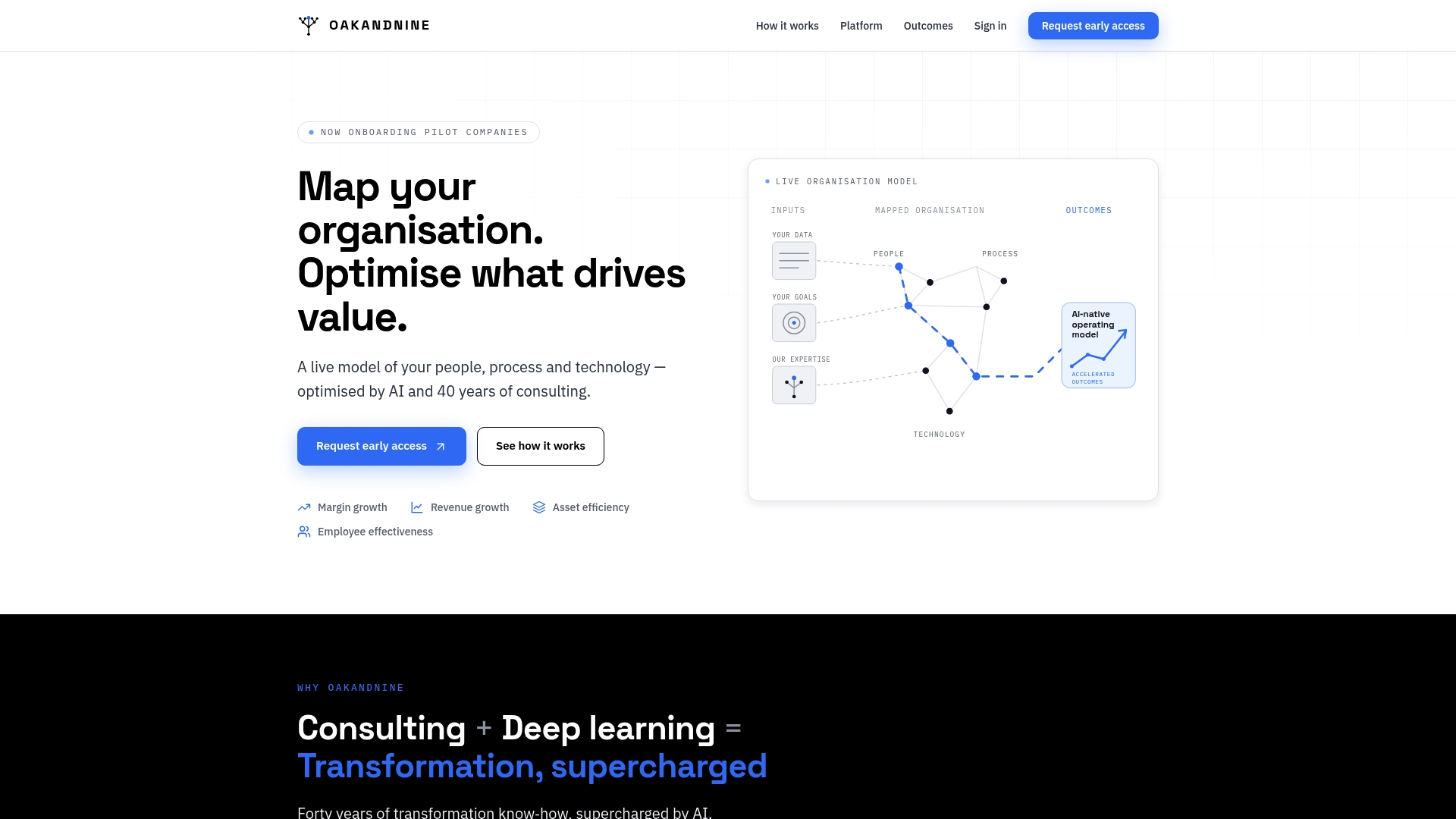
That mapping work feeds directly into a phased rollout. Oakandnine's functional connection tools support staged integration rather than a single risky rollout, and the platform's real-time visibility means a stalled sync or a data mismatch surfaces as an alert, not a discovery three weeks later during a finance close. For managing directors weighing exactly this kind of investment, the platform overview for managing directors walks through how the mapping and monitoring capability applies to a phased ERP CRM programme. Request a walkthrough to see how your own organisation's data flows map out before you scope your next POC.
Sources
- CRM - ERP Integration: Accelerate with AI | IBM
- CRM ERP Integration 2026: Architecture, Data Flows & Common Mistakes | ERP Implementation
- CRM ERP Integration: Architecture & Best Practices 2026 | SolGuruz
- CRM and ERP Integration Solutions | MuleSoft