
Workflow automation replaces manual, repeatable tasks with defined triggers, conditions and actions, cutting cycle times and error rates while making processes auditable and repeatable. Operations leaders typically watch cycle time and error rate as their headline KPIs. Oak & Nine builds this discipline into a live organisational model rather than a bolt-on tool. The sections below cover implementation and how to evaluate a platform properly.
TL;DR:
- Workflow automation effectively reduces cycle times and error rates only if processes are correctly mapped and not flawed before automation begins.
- Choosing between BPA, RPA, or orchestration depends on the complexity of the systems involved and the need for speed, developer control, or multi-system coordination.
- Proper error handling, re-run capabilities, and observability features are essential for platform durability and ongoing process health.
- Start with high-frequency, rule-based tasks that involve multiple handoffs for quick wins, and measure improvements in cycle time and exception volume.
- Focus on comprehensive governance, integration breadth, and clear ownership when evaluating automation platforms to ensure long-term reliability and maintenance.
Table of Contents
- What is workflow automation, exactly?
- What benefits should you expect, and how do you measure them?
- What are the main types of workflow automation?
- How does a workflow actually execute, step by step?
- Where do the quick wins actually show up by department?
- How should you evaluate a workflow automation platform?
- What does a pilot-to-scale rollout actually look like?
- What mistakes derail workflow automation projects?
- Which KPIs keep automation delivering value over time?
- How does Oak & Nine support workflow automation in practice?
- What matters most once the automation goes live?
- How Oak & Nine can help you build this
- Where to go for deeper technical detail
- Sources
What is workflow automation, exactly?
Workflow automation is the practice of replacing manual steps in a defined business process with software that executes them consistently, every time, without a person clicking through each stage by hand. It sits within the broader field of business process automation, which spans everything from simple task automation to full-scale orchestration across departments.
The mechanics come down to three building blocks: triggers, conditions and actions. A trigger is the event that starts a flow, an invoice landing in an inbox, a new hire being added to a HR system, a support ticket crossing a priority threshold. Conditions decide what happens next based on rules you set (is the invoice over £5,000? Does the ticket mention a keyword tied to churn risk?). Actions carry out the work itself, updating records, sending notifications, routing approvals.
Microsoft's own Power Automate documentation describes this trigger-condition-action structure as the backbone of enterprise automation, and it's the same logic whether you're using a low-code builder or writing pipelines in Python. What separates a toy automation from an enterprise one is connector depth. Platforms built for scale, Power Automate among them, offer extensive libraries of prebuilt connectors so a workflow can reach into finance systems, HR platforms and communication tools without custom integration work for every link.
What benefits should you expect, and how do you measure them?
The case for workflow automation isn't abstract. IBM's framing of workflow automation is blunt about the payoff: replacing manual handoffs with defined, automated sequences reduces the errors that creep in every time a human re-enters data or forgets a step in a long approval chain.
Three metrics tell you whether it's working:
- Cycle time: how long a process takes from trigger to completion, before and after automation.
- Error rate: the frequency of mistakes, rework, or exceptions requiring manual correction.
- Manual touches avoided: the number of steps that no longer need a person to intervene.
Pro Tip: Baseline your cycle time and error rate manually, on paper if you have to, before you automate anything. Without a "before" number, you can't prove the "after" mattered.
Beyond the metrics, the qualitative shift matters just as much: teams stop firefighting the same recurring exceptions and start working on the judgement calls that actually need a human.
What are the main types of workflow automation?
Not every automation problem needs the same tool, and choosing the wrong category of technology is one of the most expensive mistakes an operations team can make early on.
Business process automation (BPA) handles structured, rules-based sequences, think approvals, onboarding, invoice routing, where the steps are known and rarely change. Robotic process automation (RPA) mimics human interaction with existing interfaces, useful when a legacy system has no API and screen-level automation is the only option. Orchestration and hyperautomation sit a level above both, coordinating multiple systems, bots and AI models into a single governed flow, the approach the taxonomy of business process automation describes as the convergence point of RPA, orchestration and analytics.
The practical trade-off shows up in tooling philosophy. Code-first orchestration platforms like Apache Airflow define pipelines in Python, which suits engineering teams who want version control and CI/CD integration. Low-code builders suit business teams who need to ship a flow this week, not after a sprint planning cycle. Neither is universally right:
- Choose code-first when your team already writes Python and needs tight version control.
- Choose low-code when speed of deployment matters more than developer control.
- Choose orchestration platforms when you're coordinating across five or more systems at once.
How does a workflow actually execute, step by step?
A concrete example makes the abstraction useful. Picture an expense claim workflow:
- Trigger: an employee submits an expense report through a form.
- Conditions: the system checks the amount against policy thresholds and flags anything over £500 for manager approval.
- Actions: approved claims route automatically to finance for payment; flagged claims notify the relevant manager.
- Logging: every step, decision and timestamp is recorded for audit purposes.
That fourth step, logging, is where most homegrown automations fall short. Production-grade platforms need proper error handling: retries when a downstream system times out, compensating actions when a step partially completes, and critically, the ability to re-run a single failed step rather than restarting the entire flow from scratch. That distinction limits the blast radius of a failure to one broken link in the chain, not the whole process.
Pro Tip: When evaluating a platform, ask the vendor directly: "If step 4 of 9 fails, can I re-run just step 4?" If the answer is no, you'll be manually untangling failed flows at 2am eventually.
Observability rounds out the picture. You want an audit trail you can search, the ability to replay a past execution, and metrics dashboards showing success rates over time. One integration caveat worth flagging early: API-based automation is faster and more stable than UI-based automation (the RPA approach), but not every legacy system exposes an API, which is precisely why RPA still has a place.
Where do the quick wins actually show up by department?
The departments that benefit fastest from automation share a pattern: high-frequency, rule-based tasks with multiple handoffs between people or systems.
- HR: automated onboarding sequences that trigger IT provisioning, benefits enrolment and manager notifications the moment a new hire is confirmed.
- Finance: invoice matching and approval routing, cutting the days-to-pay cycle and reducing duplicate payments.
- IT: ticket triage and routing based on keyword and priority, freeing first-line support from manual sorting.
- Customer service: automated post-purchase sequences that trigger follow-up communications, a pattern well documented in post-purchase email flow design, reducing response time without adding headcount.
- Operations: exception flagging in supply chain or inventory systems, surfacing problems before they become stock-outs.
The pattern to hunt for when choosing your first targets: a process that happens often, follows clear rules, and currently requires three or more people to touch it before it's done. Track completion time and exception volume before and after, those two numbers alone will tell you if the automation earned its place.
How should you evaluate a workflow automation platform?
Choosing a platform is where most projects either set themselves up for years of reliable operation or quietly accumulate technical debt nobody notices until it breaks.
Five categories matter more than any feature checklist:
- Governance: role-based access control, audit logs, and support for your compliance obligations.
- Durability: re-run capability at the individual step level, durable task state, and sensible caching so a network blip doesn't corrupt a week of work.
- Observability and testing: execution history, searchable logs, performance metrics, and ideally a CI/CD path for testing automations before they touch production data.
- Integration breadth: connector quality and count matter more than a long feature list, as reviewer analysis of application integration platforms consistently points out, because a shallow connector rarely handles edge cases in your actual system of record.
- Commercial model: understand the total cost of ownership, not just the sticker price, factoring in implementation time, connector licensing, and the cost of maintaining flows as your systems change.
Reliability and developer experience are the two factors that decide whether a tool survives past the pilot. User review data on production adoption backs this: teams abandon platforms that look impressive in a demo but fail quietly in production. Our own guide to workflow automation tools for mid-market leaders walks through this evaluation in more depth if you're building a formal shortlist.
What does a pilot-to-scale rollout actually look like?
Rushing straight to an enterprise-wide rollout is how automation projects die quietly six months in. A phased approach protects you from that.
- Pick a pilot with intent. Choose a process that's high-frequency, rule-based, and painful enough that success is visible, but not so business-critical that a hiccup causes a crisis.
- Map before you build. Document the process as it actually runs today, not as the org chart says it should run. Most broken automations started from a flawed map.
- Build in a test environment. Use representative test data, not production data, and validate every condition branch before going live.
- Deploy and measure against a decision rule. Set a clear threshold before you start, for example, a 30% cycle time reduction and error rate below 2%, and use it to decide whether to scale or rework.
- Establish a centre of excellence. Once two or three pilots succeed, centralise ownership, version control, and standards so automations don't become ungoverned shadow IT scattered across departments.
Atlassian's guidance on workflow automation echoes this exact sequence: start small, involve the people who actually run the process daily, and optimise continuously rather than treating launch as the finish line. Our own automation centre of excellence guide covers the governance structure in more detail once you're past the pilot stage.
What mistakes derail workflow automation projects?
The single most expensive mistake is automating a broken process. Speeding up a flawed workflow just produces flawed outcomes faster, so discovery and honest process mapping have to come before any build work starts.
The second failure mode is skipping observability and re-run controls, which turns a small hiccup into a firefighting exercise because nobody can isolate what actually broke. The third is unclear ownership: automations without a named owner drift into "process rot," quietly breaking as upstream systems change while nobody notices until output stops matching expectations. Finally, plan explicitly for data quality issues and exceptions from day one, because the edge cases you didn't anticipate are exactly where automations fail silently.
Which KPIs keep automation delivering value over time?
Launching an automation isn't the finish line, it's the start of an ongoing measurement discipline. Three operational KPIs matter most:
- Success rate: the percentage of executions that complete without manual intervention.
- Mean time to recovery (MTTR): how quickly a failed run is diagnosed and fixed.
- Manual touches avoided: tracked over time, not just at launch, since this tends to erode as underlying systems change.
Beyond the numbers, build in regular process health reviews, quarterly is a reasonable cadence, that re-examine whether the original cost-benefit case still holds. Process mining and telemetry data help here, surfacing where a flow is drifting from its intended path before it fails outright rather than after.
How does Oak & Nine support workflow automation in practice?
Oak & Nine approaches workflow automation as one output of a broader effort: mapping how people, processes and technology actually connect across a company, not just automating tasks in isolation. The platform builds a live organisational model from structured and unstructured business data, surfacing process bottlenecks and inefficiencies that a narrower automation tool would miss entirely.
Real-time insights and preemptive alerts mean issues surface before they escalate into the kind of operational leak that only shows up in a quarterly review. Consulting engagements typically follow the same pilot-first logic covered above: an initial mapping phase, a configured pilot against a specific process, then a transfer of skills so the operations team can extend the model without depending on external consultants indefinitely.
What matters most once the automation goes live?
Governance and observability decide whether an automation survives contact with reality. A pilot that can't be re-run at the step level, or that nobody owns after month three, tends to decay quietly rather than fail loudly. Starting small and measuring honestly beats an ambitious rollout with no way to tell if it's actually working.
— Ronan
How Oak & Nine can help you build this
Some automation platforms provide live maps of how people, processes and systems actually connect, enabling automation of the real workflow rather than the one on the org chart. That matters because the governance and observability checklist above only works if the underlying process map is accurate in the first place.
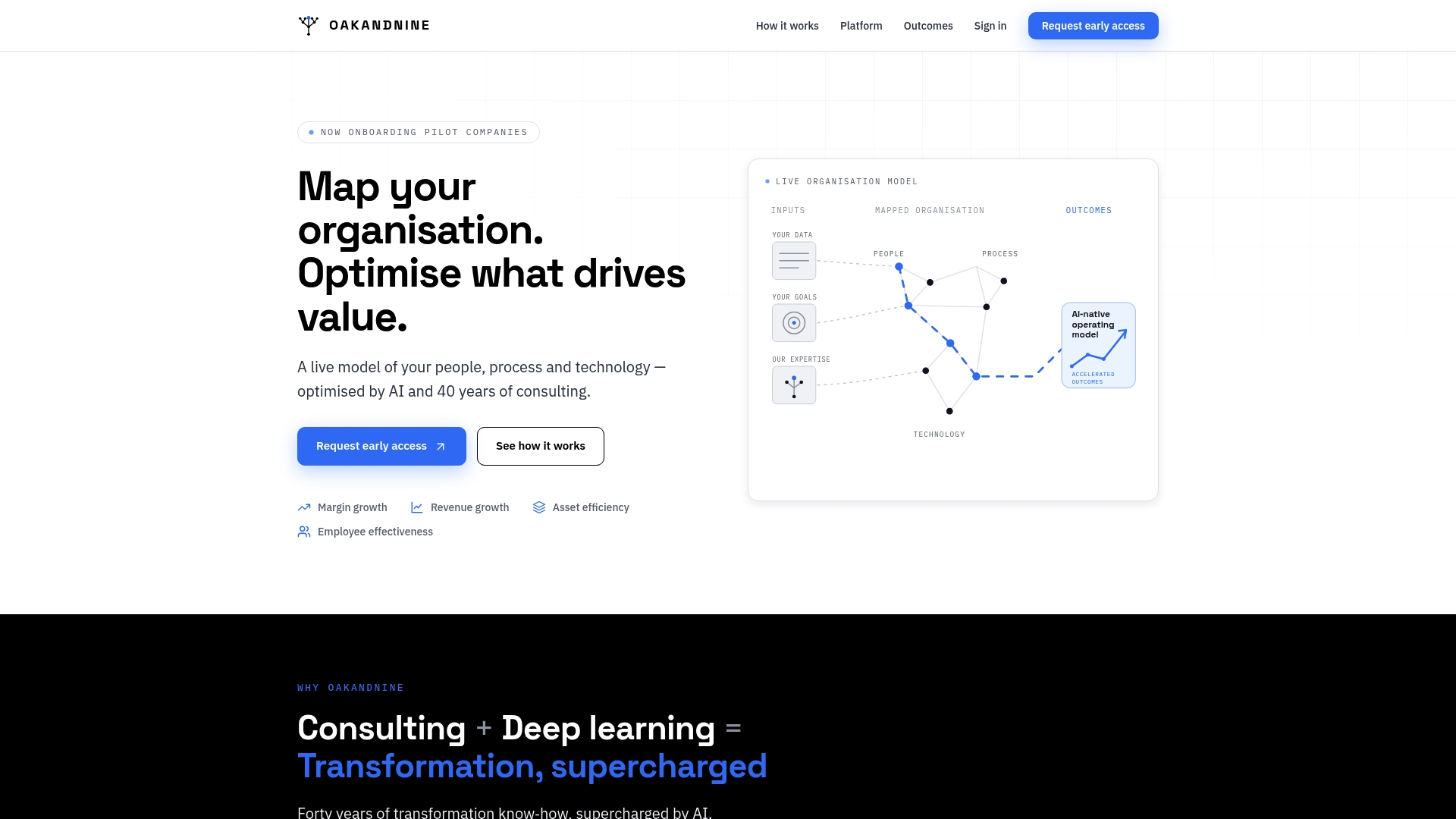
Where a standalone automation tool asks you to document your own process before you build, Oak & Nine's platform surfaces bottlenecks and handoff points automatically from your existing business data, then layers automation on top of a model that's already correct. For managing directors weighing where the biggest operational leaks sit before committing budget, the Oak & Nine page for managing directors sets out how that mapping process works. Operations leaders running the pilot-to-scale roadmap covered earlier will find more detail on connecting HR, finance and operations data on the Connect the functions overview. If you're ready to see how your own organisation maps out, book a conversation through the Oak & Nine homepage to discuss a pilot.
Where to go for deeper technical detail
- Power Automate documentation on triggers and actions for the mechanics of building automated flows.
- Power Automate product overview for enterprise governance and connector capabilities.
- IBM's overview of workflow automation for how RPA, orchestration and AI combine in practice.
- Apache Airflow documentation for code-first, Python-based orchestration.
- Kestra's orchestration platform for an example of observability-focused, extensible workflow tooling.
- Business process automation on Wikipedia for a broader taxonomy of BPA, RPA and hyperautomation.
Sources
- Work with triggers and actions - Power Automate
- Power Automate: Business Process Workflow Automation | Microsoft Power Platform
- Apache Airflow — community docs
- Business process automation — Wikipedia