
Workflow management software is a digital platform that automates, routes, and tracks business processes to replace manual task handoffs and disconnected communication. For mid-market operations managers, it is the difference between a team that reacts to chaos and one that runs repeatable, auditable processes at scale. Businesses that integrate disparate work apps into a unified workspace can reduce manual admin time by up to 60%, with potential cost savings of at least £15,000 annually by replacing 20 or more disconnected tools. The industry term for this discipline is business process management, and workflow software is its primary execution layer.
How does workflow management software function to streamline business processes?
Workflow management software operates through a structured sequence of automation nodes. Each node performs a specific role in moving work from one state to the next without human intervention at every step.
Professional workflow platforms include five core node types that form the backbone of any automated process:
- Triggers initiate a workflow based on an event, such as a form submission, a date, or a status change in a connected system.
- Conditions apply logic to route work differently depending on data values, such as sending high-value purchase requests to a senior approver.
- Delays pause execution for a set period, which is useful for time-sensitive approval windows or scheduled follow-ups.
- Notifications push alerts to the right people at the right moment, through email, messaging apps, or in-platform alerts.
- Actions execute the actual work, such as updating a record, creating a task, or calling an external API.
These nodes combine to create repeatable, auditable workflows. Every execution follows the same path, which means errors are traceable and compliance is documentable.
Visual execution timelines sit at the center of this architecture. They give operations managers a real-time view of where each process stands, which step failed, and how long each stage took. Automated retry logic handles transient errors without requiring manual intervention, so a failed API call does not stall an entire approval chain.
| Node Type | Primary Function | Typical Use Case |
|---|---|---|
| Trigger | Starts the workflow | New invoice received |
| Condition | Routes work by logic | Amount above £10,000 goes to CFO |
| Delay | Pauses execution | 48-hour approval window |
| Notification | Alerts stakeholders | Slack or email update sent |
| Action | Executes the task | Record updated in ERP system |
A practical example: an onboarding workflow triggers when HR marks a new hire as confirmed. Conditions route IT setup tasks to the relevant team. Delays enforce a 24-hour window before access credentials are issued. Notifications keep the hiring manager informed. Actions update the HR system when each step completes. The entire process runs without a single email chain.
What key features should mid-market companies prioritize?
The right feature set depends on your existing systems and team behaviors, not on the longest feature list you can find. Mid-market operations teams should prioritize the following capabilities.
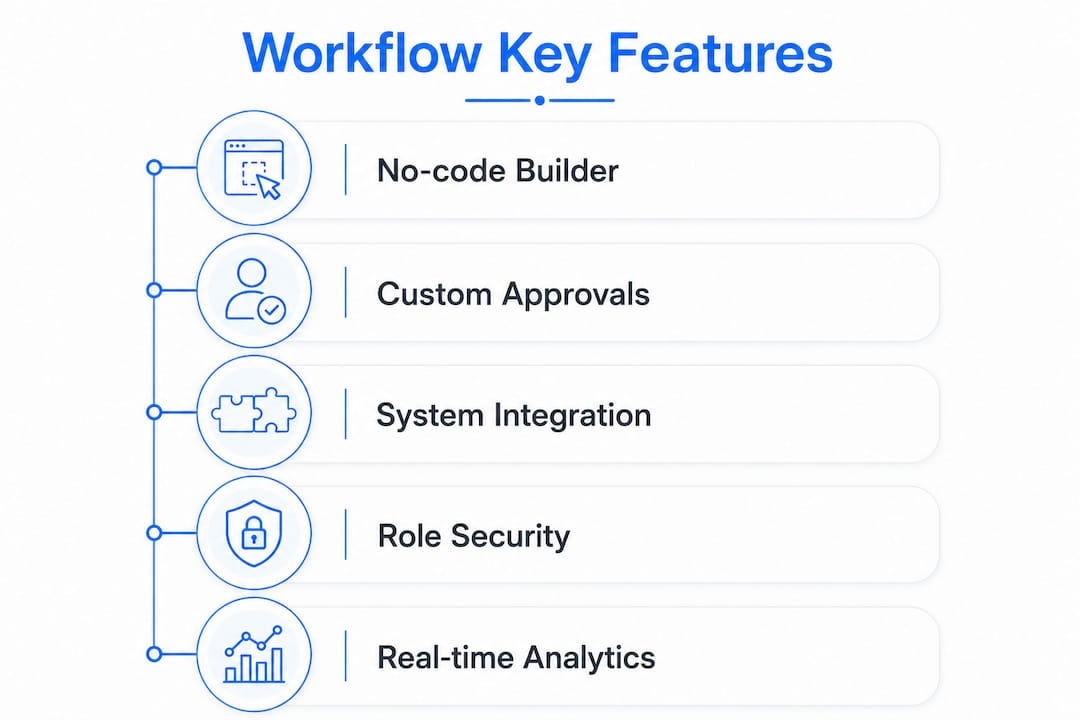
No-code workflow builders are the single most important feature for teams without dedicated developers. Drag-and-drop interfaces let operations managers build and modify workflows without writing code. No-code platforms support scalable user configurations and automated approvals with real-time tracking, which means your team can adapt processes as the business changes without waiting on IT.
Customizable approval workflows and escalations handle the reality that not every decision follows a straight line. A purchase order above a certain threshold needs a different approver than a routine expense. Escalation rules prevent bottlenecks when an approver is unavailable.

Integration with existing business systems is non-negotiable for mid-market companies. Your workflow platform must connect to your ERP, CRM, accounting software, and email environment. Isolated workflow tools create new silos rather than eliminating old ones.
Role-based access and security controls protect sensitive process data. Operations managers need visibility across all workflows. Individual contributors need access only to their assigned tasks. This separation is particularly relevant for UK businesses subject to UK GDPR data handling requirements.
Real-time dashboards and analytics turn process data into operational intelligence. You can see which workflows are running on time, which are stalled, and where your team spends the most time.
Pro Tip: Before evaluating any platform, list the five workflows your team runs most often. If a platform cannot handle all five without workarounds, it is not the right fit regardless of its other capabilities.
Prioritizing "workflow fit" and team adoption rates matters more than sheer feature count. Software that operates where teams already collaborate drives higher adoption than feature-rich platforms that require entirely new behaviors.
What deployment options exist, including open-source workflow engines?
Mid-market companies have three primary deployment models: cloud SaaS, on-premises, and open source. Each carries distinct trade-offs in cost, control, and operational complexity.
Cloud SaaS platforms are the fastest to deploy and require no internal infrastructure. Vendors manage uptime, security patches, and scaling. The trade-off is per-user or per-execution pricing that compounds as your process volume grows.
On-premises deployment gives your IT team full control over data residency, which matters for UK businesses in regulated sectors such as financial services or healthcare. The cost is higher upfront, and your team owns all maintenance responsibilities.
Open-source workflow engines occupy a distinct position. Open-source engines reduce the risk of vendor lock-in, enhance auditability, and improve data control. They eliminate per-execution fees entirely. The trade-off is that they require internal operational expertise to deploy, configure, and maintain. A team without dedicated platform engineers will find open-source options expensive in a different way: engineering time.
| Deployment Model | Cost Structure | Control Level | Expertise Required |
|---|---|---|---|
| Cloud SaaS | Per user or per execution | Low to medium | Low |
| On-premises | Upfront plus maintenance | High | Medium to high |
| Open source | Engineering time only | Very high | High |
Evaluating total cost at scale is the right frame. A cloud SaaS platform at £30 per user per month looks affordable at 20 users. At 200 users running thousands of executions daily, the math changes significantly. Open-source total cost includes both the absence of per-execution fees and the ongoing cost of the engineers who keep the engine running.
UK data residency requirements add another layer to this decision. If your processes handle personal data, you need to confirm where your workflow platform stores and processes that data. Cloud SaaS vendors with UK or EU data centers satisfy most UK GDPR requirements. Open-source deployments on your own infrastructure give you complete control.
Pro Tip: If your team is evaluating open-source options, run a proof-of-concept with a single non-critical workflow first. The operational complexity becomes clear quickly, and you can make a more informed build-versus-buy decision before committing.
How can mid-market teams implement workflow software successfully?
Successful implementation follows a clear sequence. Skipping steps in this sequence is the primary reason workflow projects fail to deliver measurable value.
-
Map your current processes before touching any software. The primary cause of failed workflow implementations is automating inefficient processes without first standardizing them. Document each step, identify who owns it, and remove redundant handoffs before you build a single automation.
-
Standardize the process, then automate it. A workflow tool digitizes whatever process you give it. If the process is broken, you get a faster broken process. Agree on the correct sequence of steps, approval thresholds, and escalation paths before you configure the platform.
-
Start with your highest-frequency, lowest-complexity workflows. Invoice approvals, employee onboarding checklists, and IT access requests are ideal first candidates. They run often enough to generate quick wins and are simple enough to configure without deep technical knowledge.
-
Automate around existing team behaviors. Automating within familiar tools like messaging apps for updates increases user engagement and reduces resistance. If your team lives in Microsoft Teams or Slack, route notifications there rather than forcing them into a new interface.
-
Run a phased rollout. Start with one department or one process type. Measure adoption, gather feedback, and refine before expanding. A phased approach surfaces integration issues and user friction before they affect the whole organization.
-
Measure and iterate. Use real-time dashboards to track cycle times, error rates, and completion rates for each workflow. Set a baseline in week one and review it monthly. Continuous measurement turns workflow software from a one-time project into a permanent operational advantage.
Transitioning work out of emails and spreadsheets into centralized platforms is essential for compliance and operational visibility as companies scale. Audit trails, centralized task routing, and standardized approvals replace the informal, undocumented processes that create compliance risk as headcount grows.
Key Takeaways
Workflow management software delivers measurable operational value only when the underlying processes are standardized, the platform fits existing team behaviors, and adoption is measured from day one.
| Point | Details |
|---|---|
| Map before you automate | Standardize each process before configuring any workflow to avoid digitizing inefficiencies. |
| Prioritize workflow fit | Choose a platform that works where your team already operates, not the one with the most features. |
| Evaluate total cost at scale | Compare cloud SaaS per-execution fees against open-source engineering costs at your projected process volume. |
| Phase your rollout | Start with high-frequency, low-complexity workflows to generate early wins and surface integration issues. |
| Measure from day one | Track cycle times and completion rates from the first week to build a baseline for continuous improvement. |
What I have learned after watching dozens of mid-market implementations
The most common mistake I see operations managers make is treating workflow software as a technology project. It is not. It is a process discipline project that happens to use technology. The teams that get the most value from these platforms spend more time mapping and standardizing their processes before implementation than they spend configuring the software itself.
The second mistake is optimizing for features during vendor selection. I have watched teams choose platforms with impressive feature catalogs, only to find that their people never fully adopted them because the interface was unfamiliar or the notification routing did not fit how the team actually communicated. Workflow fit and adoption rate are the metrics that determine whether a platform delivers value. Feature count is a distraction.
The open-source question comes up often in mid-market conversations, and my honest view is that most mid-market teams underestimate the operational burden. Open-source engines are genuinely powerful and the auditability argument is real. But unless you have platform engineers who can own the infrastructure, you are trading a vendor dependency for an internal one.
The future of this space is agent-run processes, where AI executes workflow steps autonomously rather than just routing tasks between humans. The organizations that will benefit most are those that have already standardized their processes. You cannot hand a messy, undocumented process to an AI agent and expect a good outcome. The work you do now to map and standardize your operating model is the foundation for everything that comes next.
— Ronan
How Oakandnine helps mid-market operations teams work better
Mid-market operations teams often know their processes are inefficient but lack a clear picture of where the friction actually lives. Oakandnine addresses that directly.
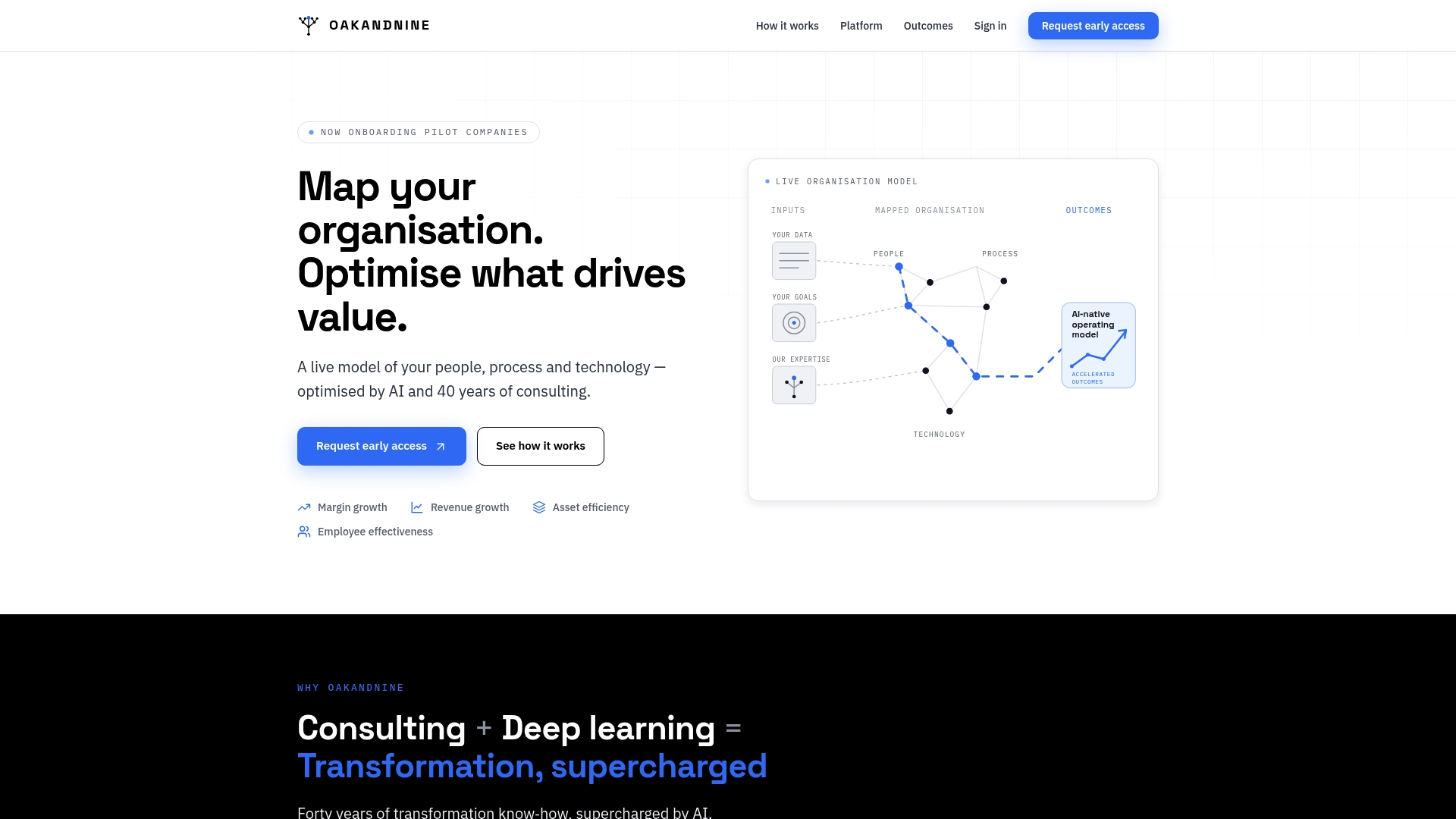
Oakandnine builds a live model of your organization that integrates people, processes, and technology into a single coherent view. Backed by four decades of consulting experience and driven by AI, the platform identifies friction points across your operating model and shows you exactly where workflow automation will deliver the highest return. Rather than deploying software into a process you do not fully understand, you start with a clear map. If you are ready to see where your operations can perform better, explore Oakandnine and find out what a structured operating model looks like for your business.
FAQ
What is workflow management software?
Workflow management software is a digital platform that automates, routes, and tracks business processes to replace manual task handoffs. It uses triggers, conditions, and actions to move work through defined steps without requiring human intervention at every stage.
How is workflow management software different from project management software?
Project management software organizes one-off projects with defined start and end dates. Workflow management software automates recurring, repeatable processes such as approvals, onboarding, and compliance checks that run continuously across the business.
What are the best workflow management software examples for mid-market teams?
The strongest options for mid-market teams are no-code platforms that support customizable approval workflows, ERP and CRM integrations, and real-time dashboards. The right choice depends on your existing tech stack and the complexity of the processes you need to automate.
Is open-source workflow management software a good option for mid-market companies?
Open-source workflow engines reduce vendor lock-in and eliminate per-execution fees, but they require internal platform engineering expertise to deploy and maintain. Mid-market teams without dedicated engineers typically find cloud SaaS platforms more practical.
How long does it take to implement workflow management software?
A single high-frequency workflow, such as invoice approval or employee onboarding, can be live within two to four weeks on a no-code platform. Full organizational rollout across multiple departments typically takes three to six months when preceded by proper process mapping and standardization.