
An SOP governs a process; a work instruction governs execution. That is the whole distinction, and most documentation confusion in a business comes from ignoring it. An SOP tells a process owner and an auditor how a workflow is supposed to run, who owns each handoff, and what "done correctly" looks like at a governance level. A work instruction tells the person actually doing the task, at the point of doing it, exactly which buttons to press, what value to read, or what torque to apply.
The two documents usually sit in a chain rather than standing alone: an SOP references the work instructions that support it, and a change to one does not automatically force a rewrite of the other. ISO's documented-information framework does not mandate a rigid hierarchy between them, which is exactly why so many organisations get the split wrong. Get it right, though, and you cut the audit friction that comes from missing records, and you stop your best operators from drowning in paperwork that was never written for them.
Key Takeaways
Choosing correctly between an SOP and a work instruction, and keeping the two linked, is what separates audit-ready documentation from a shelf of paperwork nobody trusts.
| Point | Details |
|---|---|
| Match the document to the level | Use an SOP for process governance and a work instruction for task-level execution steps. |
| Apply the two to three sentence rule | Any SOP step needing more than three sentences to execute reliably should become its own work instruction. |
| Keep ownership named, not departmental | Assign a process owner for each SOP and a task owner for each linked work instruction. |
| Link documents in both directions | Every work instruction should reference the SOP step it supports, and vice versa. |
| Consider a connected platform for scale | Oakandnine links process maps to point-of-use instructions and surfaces change-impact automatically as document libraries grow. |
Table of Contents
- SOP vs work instruction: what actually separates them
- What is a standard operating procedure?
- What is a work instruction?
- SOP vs work instruction: a side-by-side comparison
- When should you write an SOP versus a work instruction?
- How to write SOPs and work instructions that actually get used
- Who owns SOPs and work instructions, and how often should they be reviewed?
- What goes wrong with SOP and work instruction documentation
- Short SOP and work instruction examples you can adapt
- What research and practitioner guidance say about document hierarchy
- An operations leader's view on making the distinction stick
- Managing SOPs and work instructions without the document sprawl
- Frequently asked questions
- Sources
SOP vs work instruction: what actually separates them
The confusion usually starts because both documents describe "how work gets done." An SOP describes how a process gets done, meaning the sequence of activities, decisions, and handoffs across roles that produce a consistent outcome. A work instruction describes how a task gets done, meaning the specific physical or digital steps one person takes at one workstation, screen, or bench.
Think of an SOP as answering "what happens, in what order, and who is accountable for each stage." A work instruction answers "what do I actually do, right now, with my hands or my mouse." An SOP for onboarding a new supplier might specify that procurement raises a request, finance runs a credit check, and the supplier record gets approved within five working days. The work instruction sitting underneath it tells the finance analyst exactly which fields to complete in the credit-check software and what score triggers escalation.
Confusing the two produces two failure modes. Write task-level detail into an SOP and you get a bloated governance document nobody wants to review, let alone re-approve, every time a screen layout changes. Write process-level abstraction into a work instruction and the operator on the floor has nothing concrete to follow, which is precisely the gap that causes step-by-step guides to exist in the first place.
What is a standard operating procedure?
A standard operating procedure is a controlled document that defines how a business process should run: its purpose, its scope, who is responsible for each stage, what goes in and what comes out, how exceptions get handled, and what records prove it happened. It is process-level governance, and it is the document your auditor asks for first because it shows accountability, not just activity.
A well-built SOP is written so a process owner, a supervisor, or an external auditor can pick it up and understand the whole flow without needing to watch anyone work. It rarely tells you which button to click. It tells you which role clicks it, in what order, and why that step exists at all. SOPs describe the process overview needed for consistency and compliance, while the execution detail lives one level down.
A properly structured SOP header typically includes:
- Purpose – why the process exists and what outcome it protects
- Scope – where the process starts and ends, and what it excludes
- Roles and responsibilities – who owns each step, not just who performs it
- Definitions – terms that could otherwise be interpreted differently across teams
- Process steps – the sequence of activities and decision points, at a summary level
- Records – what evidence gets generated and where it is stored
- Review frequency and owner – who is accountable for keeping it current
Take incoming goods inspection as an example. The SOP would state that a warehouse operative logs the delivery, a quality checker inspects a sample against the purchase order, discrepancies get routed to procurement within 24 hours, and the inspection record is retained for two years. It would not specify which calliper to use or how to read a barcode scanner, because that belongs one layer down.
SOPs live in a document control system, get reviewed on a fixed cycle, and are the reference point supervisors and auditors pull up when they want to confirm the process, not the task, was followed correctly.
Pro Tip: Write your SOP as if the reader has never seen the software or the machine involved. If you find yourself typing a screen name or a specific field label, that sentence belongs in a work instruction, not the SOP.
What is a work instruction?
A work instruction is a task-level document that tells one person, at one point of work, exactly what to do, in what order, with what tools, and how to know they have done it correctly. Where an SOP describes the process contract between roles, a work instruction describes the physical or digital mechanics of a single job.

Good work instructions read like a recipe, not a policy. They specify exact values, exact screens, exact tolerances, and they include a visual, whether that is a photo, a screenshot, or a short video, because step-by-step guidance is what actually reduces variability in how a task gets performed. A work instruction also needs to say what to do when something goes wrong, meaning a clear stop or escalation trigger rather than a vague "use judgement."
Typical work instruction fields include:
- Task name – the specific job the instruction covers, not the wider process
- Prerequisites – training, access, or equipment needed before starting
- Materials and tools – the exact items required, including software versions where relevant
- Ordered steps – numbered actions written at the level of individual clicks or movements
- Acceptance criteria – how the operator confirms the task was done correctly
- Owner and version – who maintains the instruction and which revision is current
Consider how to issue a refund in a retail till system. The work instruction would specify: open the transaction screen, select "Refund," scan the original receipt barcode, confirm the refund reason from a dropdown list, and hand the customer a printed confirmation. It might include a screenshot of the exact screen. That level of detail has no place in the SOP governing the wider returns process, which only needs to state that refunds require manager sign-off above a certain value.
Work instructions live at the point of use: laminated at a workstation, embedded in a digital tool, or delivered via QR code on a machine. Operators and trainers reach for them constantly; auditors rarely ask to see them directly unless they are checking whether the instruction matches what actually happened on the floor.
Pro Tip: If a new starter could not complete the task correctly using only the document in front of them, the work instruction is not detailed enough. That is the test, not whether it "looks thorough."
SOP vs work instruction: a side-by-side comparison
Auditors and new managers alike tend to ask the same question: which document governs which decision? The table below lines up the dimensions that matter most when you are deciding what to write, and when.
| Dimension | Standard Operating Procedure | Work Instruction |
|---|---|---|
| Purpose / goal | Governs consistency and accountability across a process | Governs correct execution of a single task |
| Scope | High level: the whole process, start to end | Task level: one job, one workstation or screen |
| Audience | Process owners, supervisors, auditors | Operators, technicians, new starters |
| Level of detail | What happens and who is responsible | How to do it, step by step, with exact values |
| Typical format / length | Structured document, one to three pages | Short card, checklist, or visual guide, often one page |
| Authorship / ownership | Process owner, often with quality or compliance input | Task or tool owner, often a trainer or subject-matter expert |
| Review frequency & versioning | Scheduled review, formal approval gate | Reviewed whenever the task or tool changes |
| Regulatory / compliance role | Primary evidence of process control for audits | Supporting evidence that execution matched the process |
| Creation trigger | New process, regulatory requirement, cross-functional handoff | Complex or safety-critical task, frequent tool changes, recurring errors |
Use an SOP alone when a process is simple enough that any competent role-holder can execute each step without additional guidance. Use a work instruction alone for a narrow, repeatable task that does not need broader process context, such as a machine startup checklist. Use both together whenever a process spans multiple roles and includes at least one step that is technical, safety-critical, or prone to inconsistent execution.
When should you write an SOP versus a work instruction?
Getting this decision right is less about rules and more about triggers. Certain situations should prompt an SOP; others should prompt a work instruction; some genuinely need both.
Triggers for writing an SOP:
- A process spans multiple roles or departments and needs a clear handoff sequence
- A regulator, certification body, or client contract requires documented process control
- An audit finding identifies inconsistent process ownership
- A new process is being introduced and accountability needs to be fixed early
Triggers for writing a work instruction:
- A task is complex enough that memory or general competence is not reliable
- A step is safety-critical, meaning an error has real consequences for people or product
- The tool, software, or equipment involved changes frequently
- New starters need a training aid that does not depend on shadowing an experienced colleague
- The same defect or error keeps recurring at one specific step
A handful of scenarios show how this plays out in practice:
- A finance team introduces a new expense approval workflow. This needs an SOP, because it spans three roles and a compliance deadline; individual steps within it, such as how to code an expense in the software, need work instructions.
- A warehouse changes its pallet-scanning app. This needs only a work instruction update. The process, receive goods and log them, has not changed; only the mechanics of scanning have.
- A clinic introduces a new patient intake process. Both documents apply: an SOP for the overall intake and consent flow, and a work instruction for exactly how staff enter data into the patient record system.
- A single, low-risk administrative task, such as updating a shared calendar. This rarely justifies either document. A checklist or a short note in team documentation is enough.
- A recurring quality defect appears at one welding station. This is a work instruction problem, not an SOP problem, because the process is sound but the execution step needs tighter guidance.
If a task genuinely needs no more than a two or three item checklist, skip the formal work instruction altogether. Formal documentation earns its cost only when the task is complex, risky, or inconsistently performed enough to justify someone maintaining it.
How to write SOPs and work instructions that actually get used
Writing either document well follows a repeatable sequence, and skipping steps is exactly how you end up with documentation nobody trusts.
For an SOP:
- Define the outcome the process must reliably produce before writing a single step
- Map the full sequence of activities and handoffs, including exceptions
- Assign a named owner accountable for the process, not just a department
- Set a review cadence based on risk, typically annual for stable processes, more frequent for regulated ones
- Reference the work instructions that support execution, rather than duplicating their detail
For a work instruction:
- Identify the exact task and confirm it genuinely needs a standalone document
- Interview the person who does the task best, not just the person who trained everyone else
- Write the steps in the order they are physically performed, with exact values and acceptance criteria
- Add a visual, screenshot, or short video wherever words alone leave room for interpretation
- Test the instruction at the actual point of use before publishing it, using someone unfamiliar with the task
Two short template field lists are worth pasting straight into your document control system:
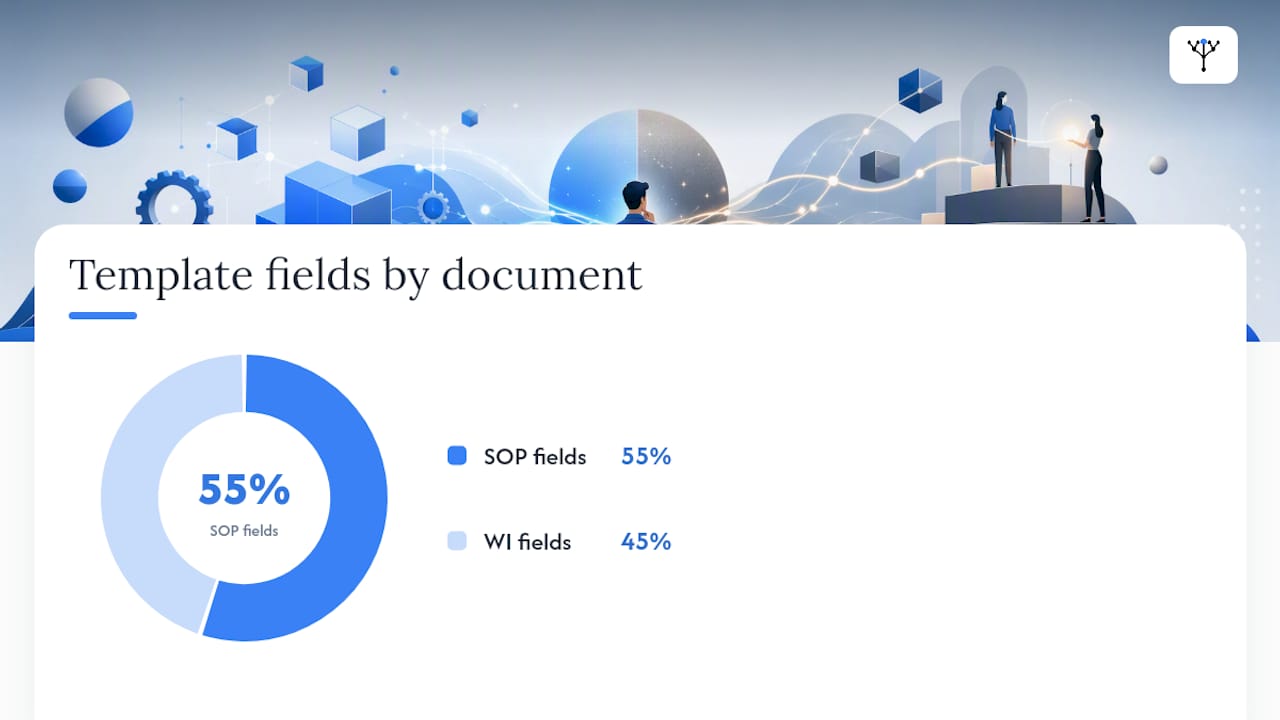
SOP template fields: Title, purpose, scope, roles and responsibilities, definitions, process steps, linked work instructions, records generated, review frequency, document owner, version number.
WI template fields: Task name, prerequisites, materials and tools, ordered steps, acceptance criteria, visual aid reference, escalation trigger, document owner, version number.
Pro Tip: Modularise your work instructions so a single tool change only touches one document. If your SOP references "the approved credit-check tool" rather than naming specific screens, a vendor update to that tool triggers a WI edit, not a full SOP reapproval. Teams building this kind of connected structure often find it easier inside a workflow management platform that keeps the link between the two documents visible rather than buried in a shared drive.
Who owns SOPs and work instructions, and how often should they be reviewed?
Ownership has to sit at the right altitude, or governance quietly falls apart. The process owner, usually a department head or a named process lead, is accountable for the SOP: its accuracy, its review cycle, and its formal approval. The task or tool owner, often a supervisor, trainer, or subject-matter expert, is accountable for the work instructions underneath it.
A short governance checklist keeps both layers audit-ready:
- Every document carries a named owner, not a department name
- A version number and effective date appear on every page, not just the cover
- A defined review trigger exists, whether that is a calendar date, a tool change, or an audit finding
- Each work instruction states which SOP step it supports, so the link is traceable in both directions
- Change-impact rules specify what level of change requires reapproval versus a simple version bump
Storage should mirror how each document gets used. SOPs belong in a controlled library, version-locked, with change history visible to auditors and process owners. Work instructions belong at the point of use, whether that is a QR code on a machine, a laminated card at a workstation, or a digital work instruction delivered through a tablet or app.
Audit readiness comes down to one habit: every record generated during execution should trace back to the SOP step it evidences, and every work instruction should trace back to the process it supports. Pharmaceutical quality system guidance treats this kind of explicit linkage, rather than a single monolithic manual, as the practical route to defensible document control.
What goes wrong with SOP and work instruction documentation
Most documentation failures are not caused by missing documents. They are caused by mismatched ones: content written at the wrong level, ownership nobody can name, or a library so bloated that nobody trusts it enough to open it.
The recurring mistakes worth watching for:
- Mixing process-level and task-level detail in one document, so it satisfies neither an auditor nor an operator
- Over-documenting low-risk tasks, which buries the genuinely critical work instructions in noise
- Failing to link an SOP to the work instructions that support it, breaking traceability
- Leaving ownership assigned to a team rather than a named individual
- Publishing a work instruction that was never tested by someone actually doing the task
The best-practice response is straightforward: keep SOPs focused on governance and accountability, keep work instructions modular and specific, and apply a simple rule of thumb to decide when a step needs its own document. If a single SOP step cannot be executed reliably in two or three sentences, that step has earned a separate work instruction rather than a longer paragraph. This single rule prevents most of the documentation bloat that erodes trust in operational guidance over time.
There is a subtler risk worth naming directly: over-specifying every task strips out the judgement you are actually paying skilled staff for. Work instructions should remove ambiguity on mechanics, not replace training on how to think. Reserve rigid step-following for genuinely safety-critical or compliance-driven tasks, and trust experienced staff with discretion everywhere else.
Pro Tip: Run the "two to three sentence" test on your existing SOPs. Any step that needs a fourth sentence to explain clearly is quietly asking to become its own work instruction.
Short SOP and work instruction examples you can adapt
Seeing both documents side by side, at real length rather than in the abstract, makes the distinction concrete.
SOP example: Incoming goods inspection
- Purpose: Ensure delivered goods match purchase order specifications before entering inventory
- Scope: Covers all deliveries from approved suppliers to the main warehouse
- Steps: Warehouse operative logs delivery arrival → Quality checker inspects sample against purchase order → Discrepancies routed to procurement within 24 hours → Approved stock released to inventory
- Owner: Warehouse Manager | Review: Annual
WI example: Pallet temperature check (linked to the SOP above)
- Select the calibrated probe thermometer from the charging station
- Insert the probe into the centre of the pallet's third layer
- Wait for the reading to stabilise, approximately 15 seconds
- Record the reading on the digital tablet against the delivery reference
- If the reading exceeds 8°C, flag the pallet and notify the quality checker immediately
- Return the probe to the charging station after each use
| Field to complete before publishing | Who confirms it |
|---|---|
| Document owner name | Process or task owner |
| Version number and effective date | Document controller |
| Linked SOP or WI reference | Author |
| Point-of-use test sign-off | Someone unfamiliar with the task |
If you are staring at one long, unwieldy SOP right now, the fastest fix is not a full rewrite. Pull out every paragraph that specifies exact values, screens, or tool settings, turn each one into its own work instruction, and leave the SOP holding only the process logic and the references to those instructions.
What research and practitioner guidance say about document hierarchy
Neither ISO's documented-information guidance nor WHO's process documentation material mandates a strict pyramid where every work instruction must sit beneath a named SOP. Both frameworks allow flexible structures, which is precisely why organisations end up with such different conventions across industries.
Regulated sectors have generally solved this by adding an intermediate layer rather than forcing everything into two tiers. Pharmaceutical and aerospace operations commonly use standard operating instructions (SOI) or standard work instructions (SWI) as a middle ground between process governance and task execution, particularly where a single process spans several distinct execution contexts.
Practitioner commentary converges on a consistent warning: work instructions, once created in volume without discipline, become difficult to manage and can quietly encourage box-ticking over problem-solving.
Over-documentation is a genuine operational risk, not just an efficiency nuisance. Creating too many granular work instructions can leave documents stale and erode the judgement operators need when something falls outside the script.
That warning matters more than it first appears, because the instinct to "just document everything" after an audit finding is common and usually counterproductive.
Pro Tip: Set a change-impact rule before you need it: a work instruction edit only triggers SOP reapproval if it changes the process boundary, ownership, or a regulatory commitment. A screen redesign or a supplier swap almost never should.
An operations leader's view on making the distinction stick
The temptation, every time a new process launches, is to write one long document covering everything. It never survives contact with the floor. The moment a step needs a screenshot or an exact numeric threshold, that content belongs in a work instruction, and pretending otherwise just produces an SOP nobody rereads.
A tool UI changing is the clearest test of whether your document structure actually works. If a vendor redesigns a screen and that forces you to reopen a formally approved SOP for reapproval, the structure has failed, because the process itself has not changed at all. The fix is to keep the SOP silent on screen mechanics and let the linked work instruction absorb that update on its own, on its own review cycle, without touching the governance layer above it.
What compounds the benefit over time is searchability. A work instruction an operator can find in seconds, rather than one buried three folders deep on a shared drive, gets followed. One nobody can locate gets ignored, and then reinvented inconsistently by whoever is on shift that day. The productivity gain from linked, findable documentation is rarely dramatic in any single instance. It shows up as the accumulated absence of the errors, delays, and audit findings that stale or missing instructions would otherwise have caused.
Managing SOPs and work instructions without the document sprawl
Everything above works whether you run your document library in a shared drive, a dedicated quality system, or a set of laminated cards on the wall. Plenty of operations teams manage this manually for years, and manually is a perfectly reasonable place to start.
Where it tends to break down is scale: once you have dozens of SOPs and hundreds of linked work instructions, tracking which tool change should trigger which document review becomes a full-time job nobody was hired to do. Oakandnine exists for that exact gap. It maps your processes and the work instructions that support them into one connected model, so a change flagged in one system, a new supplier tool, a shifted approval threshold, surfaces automatically as a review trigger on the document it actually affects, rather than forcing a manual audit of everything every quarter.

That means your process owners spend their review time on genuine process risk, not on manually cross-checking version numbers across a shared drive. If you want to see how a connected model handles the SOP-to-work-instruction link automatically, visit the Oakandnine platform and ask for a walkthrough of how change-impact alerts work against your current document structure.
Frequently asked questions
Is a work instruction the same as an SOP? No. An SOP governs a process across roles and handoffs; a work instruction governs one task at the point of execution, with exact steps and acceptance criteria.
Can a work instruction exist without an SOP? Yes. A narrow, repeatable task, such as a machine startup checklist, can have a standalone work instruction without a governing SOP if it does not sit inside a wider multi-role process.
How often should SOPs and work instructions be reviewed? SOPs typically follow a scheduled cycle, often annually or on a regulatory trigger. Work instructions should be reviewed whenever the underlying tool, equipment, or task changes, which is usually more frequent.
What is the biggest mistake managers make with SOP and work instruction documentation? Mixing governance detail and execution detail in a single document, which satisfies neither an auditor checking process control nor an operator needing exact steps.
Who should own a work instruction if it's not the process owner? The task or tool owner, typically a supervisor or subject-matter expert closest to the equipment or system the instruction describes.
Sources
A short set of sources goes further into the standards and practitioner detail behind this guide, useful if you are building a formal document control policy rather than just fixing one document.
- Work Instructions vs. Standard Operating Procedures | Quality Digest
- Standard operating procedure vs work instruction: what's the difference? | iSixSigma
- SOP vs Work Instruction vs SOI vs SWI: Real Differences | SOPX
- Q10 Guideline (pharmaceutical quality system) | ICH database